I've been having a great time playing with Graffiti . . . did you know this collection goes with almost everything? To prove my point, check out the cards I whipped up this week:
With Valentine's Day around the corner, I thought I'd see how well the Graffiti Stencil and the Love Bites stamps would play together. I think it's a match made in heaven!
I thought this card would be fun for my niece who turns 17 on Saturday.
You might not notice it right away, but the background stamp on this
card is a border stamp from the Hopes FontArt UM. It reminded me of chain link fencing. Cool eh?
I just love that Graffiti Art stamp, and it was perfect for this resist technique with the Green and Blue Neon Ink Pads. I paired it with a sentiment stamp from the Fire & Ice FontArt UM.
Can you guess what vintage kit elements I used for this card? You might not recognize them right away. I started with a Graffiti Print panel, overstamped with a huge text stamp from Up, Up & Away. Then I used white acrylic paint with the circle pattern on Fizz Stencil. I traced the arrow image from the Mirror, Mirror Stencil onto Graffiti pink, and cut it out with a craft knife. Finally Fizz pink brads added just the right finishing touch.
I encourage you to see what mixin' and matchin' you can do with your Graffiti kit and collections from the past. It's great fun!
Have you observed the graffiti downtown? If you haven't, then take a
peek this weekend and look closely to find out what I mean about
self-expression. After checking it out, you'll see that graffiti is not
pure vandalism after all. In fact there are organizations or groups of
people who became well-known because of graffiti and are now paid well
to create it.
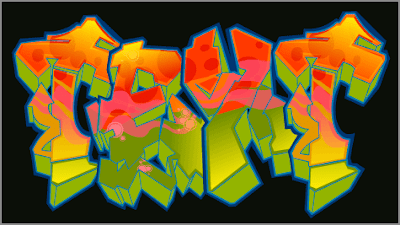
One such group is the TATS CRU in New York who are
paid to paint on street walls, subways and streets. Tats Cru claim to be
"The mural kings who have changed public opinion of graffiti as an art
form and have taken it to new heights." It is no longer seen as
vandalism.
If you want to learn this art form, start the easy way
to become a graffiti king. Grab a large piece of paper-preferably plain
newsprint which is cheap, use a piece of charcoal or graphite pencil,
and start with a few letters all in caps. Keeping it large will help you
when you get to that huge wall that looks inviting!
It is best to
take a look at some of the graffiti writing on Google images, you'll
find a myriad of styles but choose one you like and copy it (for
practice only.) You can use markers but using them on newsprint, they
tend to bleed too much.
After you've practiced a bit, stand back
and view your work. If you see one you really like and think it is
great, you're ready to attack the nearest wall!
The practice run
is over and you have chosen your own personal style--but wait a bit,
isn't is pretty near so many of the other style you've seen? Can you
differentiate it as your own? If not, back to the drawing board for a
little more practice please.
The bubble-style graffiti is global;
you find it on every wall in Africa, America and even Timbuktu. So make
yours unique. How? Experiments as these dudes have done in New York-try
straight and curved lines instead of all curves-or try dashes. Yeah, you
CAN be creative!
If you want to create your own style it would be
prudent for you to conceive your own signature but this may take some
time to develop. When you have finally decided on the style you like,
start drawing freely and add all sorts of other characters to it like
dingbats.
Make your letters look bold and stylish. And to make it look 3D, your light source should come from the top left of your drawingand
the shadows would fall at the bottom right of each letter. You can
create great effects just inside your outlines by using a different
color and by not following your outlines exactly.
Not so easy to stylize fonts. The Graffiti Creator section in control,
allowing the style and color to apply automatically. You need a good
practice to master these tools. Overall, Graffiti Creator is an
excellent tool for styling text online. Of course, it can be a great
hobby as a utility for different artists.
The
Graffiti Creator is a site where you can create stylized text in
Graffiti style with its own characteristics. Resize, apply color, adjust
and set everything just the way you want. Graffiti is one of the
greatest symbols of urban art, applied to his style.
The goal is to develop a site with his Graffiti tag (a kind of
signature or unique feature on your dash). Focus on standardizing the
height and width of his letters, as a Graffiti looks better when
symmetrical.
Their work is based on predefined fonts, created by
the developers of the site. After choosing a type, it's time to give
your face to him. Enter a text and work several details of each letter,
setting standards of color, height, width, rotation, and various
elements that compose the letter.
Use and abuse of the tools
available to the Graffiti Creator to do a job and it looks totally
realistic to the designs seen on the streets. The result can be printed
easily so that you can keep it. The Graffiti Creator still has
five galleries in forum format for you to publish your work, like
graffiti on walls made characters, hand-drawn sketches, digital photos
and even pictures. "Graffiti"
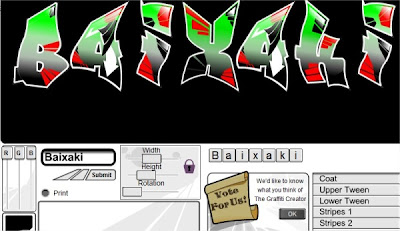
On the homepage Graffiti Creator you can start your work. First,
select a source model. Currently, five standards are available. Just
click on the design of one of them to proceed. Then type the
text in the appropriate field and click "Submit". It will show "raw",
ready to be worked. Note that the letters can be worked individually.
Just click on them in the area below the display of art.
The
fields "Width", "Height"and "Rotation" apply and change height, width
and rotation of the lyrics. Move the sliders to achieve the desired
effects. In the menu on the right, note that there are several options,
such as "Coat", "Tween" and "Stripes. " Click on these menus to work in
specific areas of the lyrics:
"Coat" represents the total
fulfillment of the letters, "Tween", "Stripes, " "Bubbles ", "Arrows",
"Stars"and "Glaze" are effects that can be used individually or
combined.
In "Outlines, " you work outside lines, and can
highlight them on "Highlight". "Inline" are the edges and "Background "
allows you to change the background color of the art.
You can
include or exclude each of these items, and set the transparency for
each. One tip is to concentrate first on the style of the letters, then
the colors of each style applied.
You can print the results by clicking the "Print"for that. (by http://guardian-graffiti-alphabet.blogspot.com)
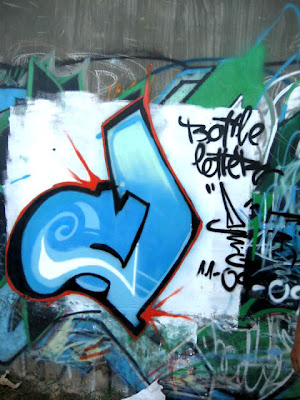
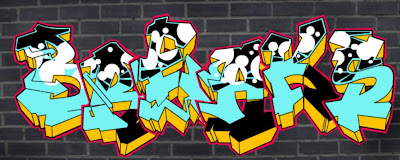
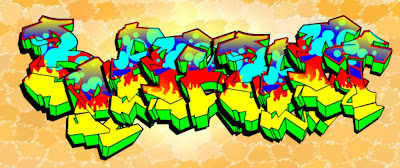
Please give your comments about this graffiti image, Thanks....
GRAFFITI GRAPHIC DESIGN HOW TO CREATE GRAFFITI ART BY GRAFFITI CREATOR
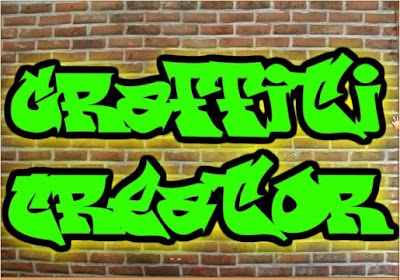
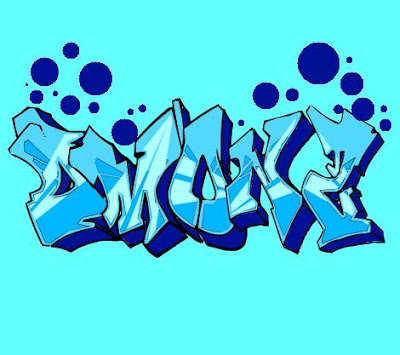
Write Your Name in Graffiti Text with Graffiti Creator
Maybe you often hear about the graffiti creator. Graffiti creator
is a tool that can be used Write Your Name in Graffiti Text. We can
make our name with the form of graffiti, in addition we can also give us
the effect at will, surely effect a favorite of our own. Types of
graffiti that have 3D effects, bubble, throwie and many more. If you
want to try to make a graffiti with your name, then you can try to
menguunjungi this site (http://www.graffwriter.com/).
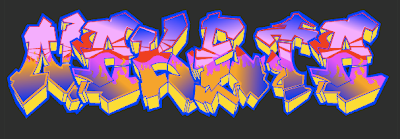
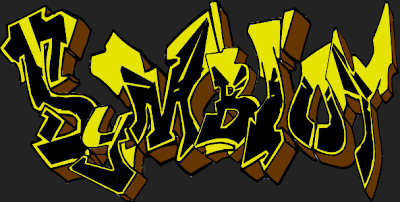
Please give your comments about this graffiti image, Thanks....
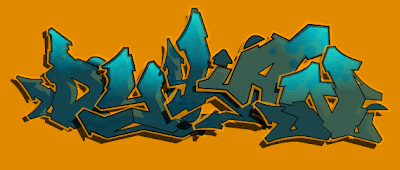
Are you know popeye ? cartoon characters which very familiar and fomous in the world. This graffiti design is one example graffiti with object popeye characters. Please enjoy this graffiti design.Thanks. .
Graffiti artists work on the details of their latest piece in
Nairobi, Kenya. They paint political art highlighting corruption and
compare national leaders to vultures.
Kenyan graffiti artists put down traffic cones and road markings
when they are painting to make the sites appear official.
The graffiti gang steps back and admires their latest work. Each wears the 'anti-vulture' jacket.
Before the group turned to political art their work including entertainment figures like Michael Jackson.
U.S. President Barack Obama is another of the group's non-corruption paintings.
Another of the group's anti-corruption works.
They choose the most visible walls to paint hoping the message will result in electoral change.
Details from one wall work that sums up the group's message to Kenyan voters.
You are going to clone yourself! You will have 5 of you on 1 photo! Is it hard- nope- quite easy! You can even make yourself look like you are floating in midair!
Here is a link to a video:
So what do you need for today:
1- A camera- not a phone- a camera.
2. A chair or 2- if you want to float you need one to stand on- you need one to put your camera on like a tripod.
3. 2 people- you will be in your own photo- set everything up so you all your partner needs to do is push the shutter button!!
Busy day- you have ALOT of things due TOMORROW!!!!! Blue Black and White, Bubbles and Action is also do soon! So today is a WORK day- remember to link up to the blog.
Your trick photo needs to be edited with MCP Mini Fusion action.
Your Sunrise, Sunset photo needs to have An HDR action ran on it- however I can't remember what it is called so look in Schoology under the Sunrise Sunset assignment.
The trick photo link up will be up by the end of the hour.
REMEMBER THE QUESTION TO ANSWER ALSO REMEMBER THAT ONCE YOU GET BEHIND IT IS VERY HARD TO CATCH UP!!!!
So we have done Trick Photos using Photoshop, now we are only going to use our digital cameras! If you go to hereyou can see examples of trick photography! Take at least 10 shots........I want you to take the photos, not be in the photos! Get into groups of 2-4 to take these shots!